

Optical retail & optometry management platform
Your whole optical store, in one place
OptiFlow is optical store management software that brings customers, appointments, eye exams and prescriptions, orders, payments, inventory and CRM into one system built for opticians and optometrists.
Multi-location
Full Hebrew · Multi-branch · Role-based permissions · Works with or without inventory
Less double work. More control over the business.
Most of the time an optical store burns is not spent with customers — it is spent moving the same information from one place to another. These are the patterns that repeat in almost every business, and what changes once the information lives in one place.
- The information is scattered across a notebook, a spreadsheet, a WhatsApp group and the till software — and every customer question means searching in three places.
- Connected information: customer, exam, prescription, order and payment sit in one place and point to each other.
- Customer details and prescription numbers get typed again and again — at the exam, on the order, at the till and on the document.
- A continuous workflow: each stage picks up where the last one ended, without re-entering the same data.
- Orders are hard to follow: what was ordered, what arrived, who has not been called yet — and sometimes a customer waits with nobody noticing.
- Fewer errors and fewer things falling through the cracks, because every order’s state is visible instead of remembered.
- Either everyone sees everything, or every small action waits for the owner — both options cost money.
- Permission-appropriate access: each person works within what their role requires, clinical information included.
- Customer follow-up runs on memory: who is due for an exam, who to call about an order that arrived, who has not been back in two years.
- Follow-up that runs out of the work itself — tasks and reminders on the channels you configured, instead of relying on whoever remembers.
- Systems insist on stock management when it does not fit the business, or offer none when it is exactly what is needed.
- Works with or without inventory: the same customer workflow, with a control layer added only if it is needed.
- With several branches there is no single picture, and any comparison between them starts with collecting numbers by hand.
- One management view: activity, orders and payments across every branch, with no manual collection.
The full journey
Entered once, flowing all the way through
- 01
Customer
The customer is created once, and everything that follows attaches to their card.
- 02
Appointment
The appointment is booked in the calendar, or by the customer online, and is tied to the customer and the staff member.
- 03
Exam
The exam is documented on the customer — contact-lens exams and attached files included.
- 04
Prescription
The prescription is saved with the history, so it can be read against the previous one.
- 05
Order
The order opens from the prescription, with products and pricing from the catalogue.
- 06
Payment
The payment is recorded on the order, split methods included, and the document is issued from there.
- 07
Hand-over
Hand-over closes against the order, so what was delivered and what is still open is clear.
- 08
CRM
From here the relationship continues: club and benefits, enquiries and follow-up tasks ahead of the next exam.
Self-service booking by link
Send a link. The customer books themselves.
Share a booking link so the customer can select an available location, appointment type and time based on the business configuration. The appointment lands straight in the calendar.
The actual experience and options depend on the store’s settings and enabled modules.
How it works- Choose branch
- Appointment type
- Available time
Store calendar
- 09:00 — · · ·
- Dana Levi (demo)10:30
- 12:00 — · · ·
With inventory or without — whichever way your business works
Stock tracking is not a condition for using the system. Some stores count every frame and move products between branches; others work against a supplier and never want to manage stock. Both ways are supported in the same system, and the setting is decided together with you to match how the business works — and can be changed later.
Without stock tracking
Suits a store that works against a supplier, or a clinic with no wish to count shelves
- A full product catalogue with pricing
- Orders opened and tracked through to hand-over
- Pricing and discounts per product and per order
- Complete customer history: exams, prescriptions and orders
- Payments and financial documents, with no counts and no quantity upkeep
With stock tracking
Suits a store holding stock on the shelf, and a chain that moves products between branches
- Everything above, and in addition:
- Stock balances per branch
- Stock movements by product and by branch
- Branch-to-branch transfer documents recording what moved and where
- Quantity control, so shortages surface before the customer finds them
- A cross-branch stock picture for management
Both ways. One system. Changeable later.
Growing? It grows with you
From one store to a chain — with every connection around it
Central
Connected
North
Connected
South
Connected

- Optical devicesPer equipment & compatibility
- POS & paymentsPer provider & plan
- Customer messagingOn configured channels
- Reports & BIBuilt-in; extensions per plan
- More connectionsPer configuration
Role-based permissions, cross-branch visibility, and connections matched to your equipment and providers — per plan and compatibility check.
Product
What it looks like inside
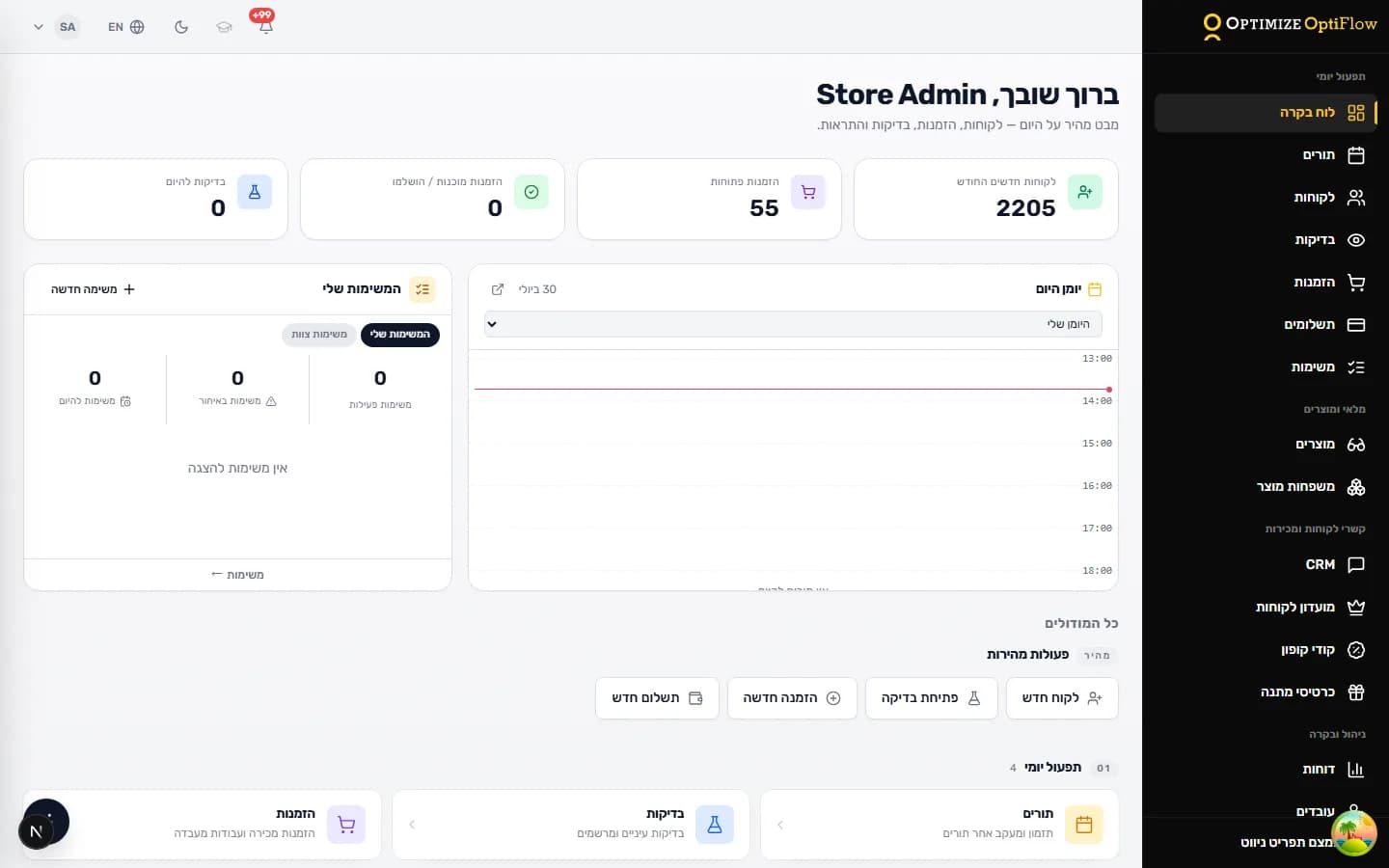
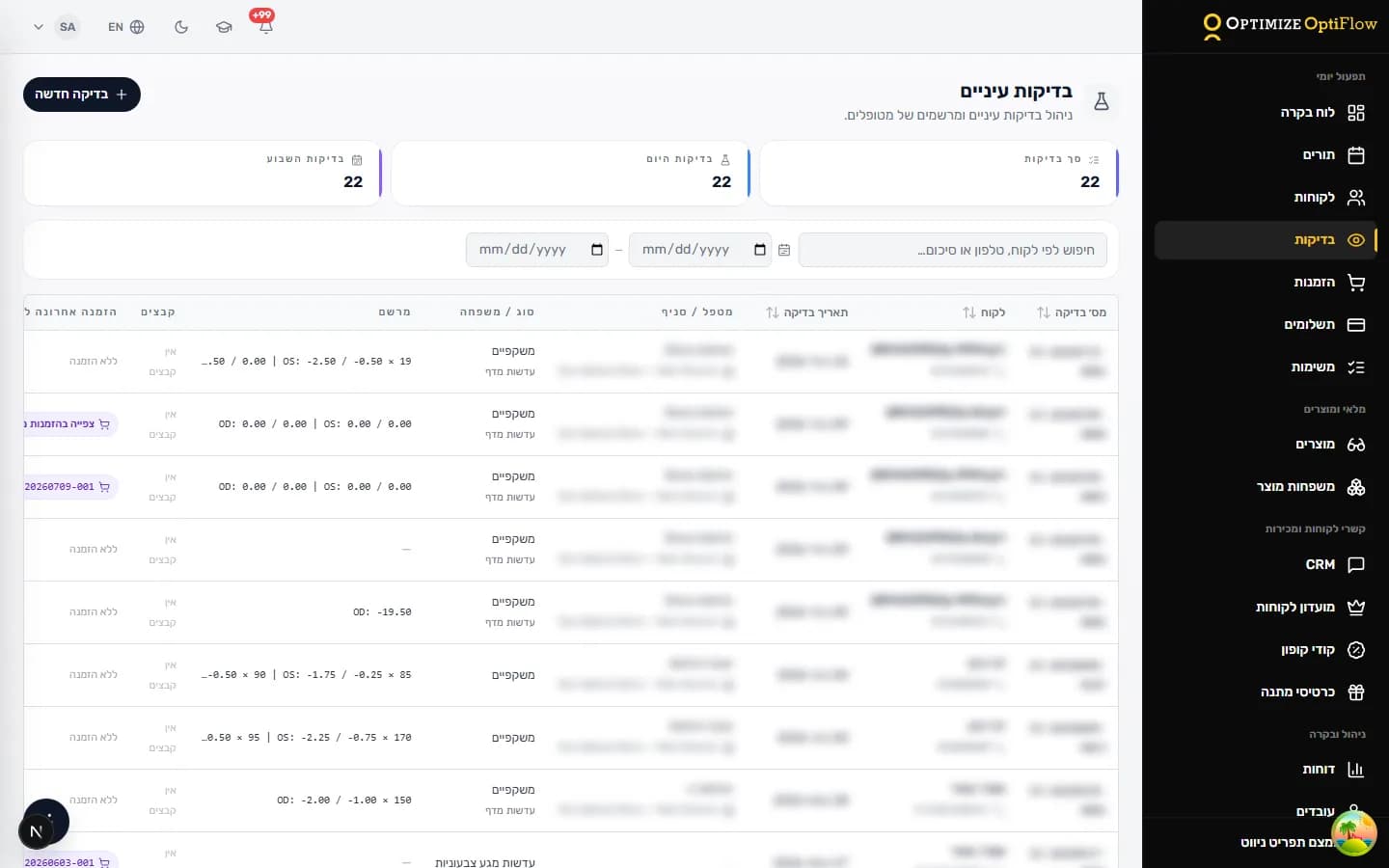
OptiFlow supports documenting and managing exam and prescription workflows. Professional and clinical judgement remains the optometrist’s responsibility.
- Full Hebrew right-to-left interface, including documents and printing
- Fits the way businesses in Israel actually work
- Supports tax, VAT and document settings according to your configuration and the integrations you enable
- Can connect to point-of-sale and invoicing systems depending on the provider and plan
- Built from hands-on experience in Israeli optical retail
- Developed with practitioners from optics and optometry
Israel
Built for how Israel works
Actual accounting and regulatory fit depends on your configuration, the providers you connect, and sign-off by your own professional advisers
Trust
Built from the field
Built from hands-on experience in Israeli optical retail. Developed with practitioners from optics and optometry.